
Brevo Free Plan Limits Explained: What 300 Emails a Day Really Covers (With the Math)
Tools covered: Brevo Kit GetResponse ActiveCampaign
Our picks
Best for small lists or occasional sends
Brevo
Your list is under about 300 people, or you email a bigger list rarely and don't mind a send taking several days.
Price: Free plan with 300 emails/day. Starter from $9/month (as of October 2026).
See Brevo's plansBest free option for a weekly newsletter
Kit
You have more than 300 subscribers and want each newsletter to go out to everyone on the same day for free.
Price: Free up to 10,000 subscribers. Creator $39/month billed monthly for up to 1,000 subscribers (as of October 2026).
Try Kit freeBest for a small list that needs landing pages
GetResponse
You have under 500 contacts and want forms and landing pages alongside email.
Price: Free plan with 500 contacts and 2,500 newsletters/month (as of October 2026).
Compare GetResponse plansThe short answer: Brevo's free plan lets you send 300 emails per day, which is about 9,000 a month if you used every day's allowance. In practice, that means one newsletter to up to 300 people per day. If your list is bigger than 300, each campaign is cut off at 300 recipients, and you have to send the rest on later days yourself. Brevo's free plan works well for lists under 300, or for bigger lists you email rarely. If you have 300+ subscribers and want each newsletter to arrive on the same day, either pay for Brevo Starter (from $9/month as of October 2026, with no daily cap) or use a tool with a subscriber-based free plan, such as Kit.
This guide is based on Brevo's official help center and pricing pages, checked in October 2026. We started a Brevo signup ourselves, but we haven't sent any emails from Brevo, so everything about sending limits comes from Brevo's documentation and from questions users have posted in the Brevo Community.
What Brevo's free plan includes (as of October 2026)
According to Brevo's Free plan FAQ and pricing help article:
- 300 email sends per day. The limit resets daily, and unused emails don't roll over to the next day.
- No time limit and no credit card required.
- Contact storage: Brevo's help center says the free plan can store up to 100,000 contacts. Some of Brevo's marketing pages, such as its newsletter page, say "unlimited." Either way, storage is not the limit you'll run into first.
- Automation: Up to 2,000 unique contacts can enter your active automations. Once you hit that number, no new contacts can enter, though contacts already in a workflow keep going (Brevo quotas).
- Brevo branding: Free-plan emails carry a Brevo logo. You can't remove it on the free plan (Brevo add-ons).
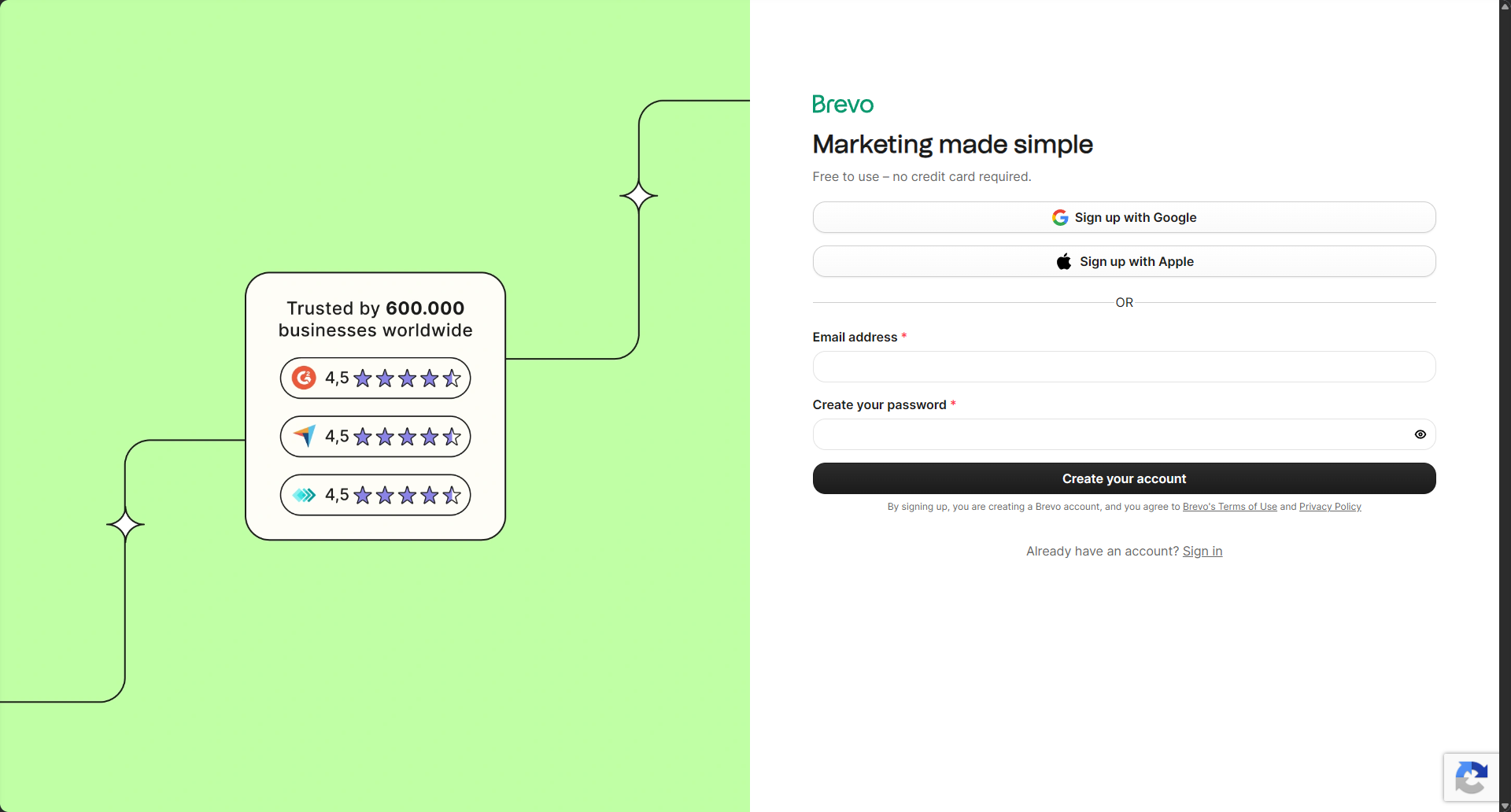
When we started a Brevo signup in October 2026, the signup page said "Free to use – no credit card required." You can sign up with Google, Apple, or an email address and password.
How the 300-per-day limit actually works
Brevo counts sends, not contacts. Its docs say one email sent to one contact uses one credit. So a newsletter to 250 people uses 250 of your 300 for that day.
Here is what Brevo's help center says happens when you hit the limit:
- Campaigns stop at 300. If you send a campaign to more than 300 recipients, only 300 get it on the scheduled day (Free plan FAQ).
- The rest is manual. The FAQ says you resend the campaign to the remaining recipients yourself, up to 300 a day, using the Requeue option. Brevo's campaign help page also describes a Resume option for suspended campaigns that sends to the recipients who were left out.
- You can't schedule ahead once you've hit the cap. The FAQ says that after you reach 300 for the day, you can't schedule a campaign for the next day in advance. You wait for the reset.
- "Send to new contacts" is limited to once every 24 hours on the free plan, when your next 300 emails become available.
- Transactional emails get a small buffer. For transactional emails (such as password resets or order confirmations), up to 1,000 emails over the limit are held in a retry queue. Anything beyond that isn't delivered. Campaigns don't get this buffer. Also, transactional sending may need a separate activation from Brevo support (SMTP troubleshooting).
This catches people off guard. In the Brevo Community, a free-plan user with 612 contacts asked whether their campaign would finish on its own over the next days, and how they'd know who still hadn't received it. Based on Brevo's docs, the answer is that it won't. You requeue or resume it yourself.
Two other things count against your 300:
- Bcc copies. If an automation sends a hidden copy of each email to you, each copy uses a credit too (Brevo help). Sending to 100 contacts with a Bcc uses 200.
- Everything else you send that day. The FAQ describes the limit as 300 email sends per day. In the excerpts we reviewed, Brevo doesn't describe separate allowances for welcome emails or automations. So plan as if every email your account sends shares the same 300.
The math: what 300 a day supports
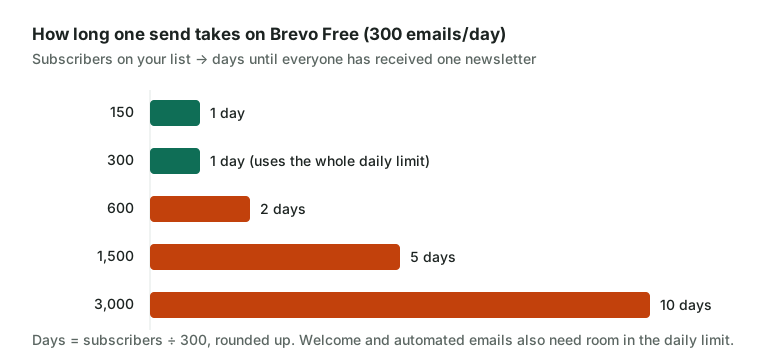
Here's how the cap plays out for common list sizes. "Days per send" is how many days it takes to reach everyone with one newsletter, assuming you send nothing else.
| Subscribers | Days per send | Weekly newsletter on free? | Monthly newsletter on free? |
|---|---|---|---|
| 150 | 1 | Yes, with room for welcome emails | Yes |
| 300 | 1 | Yes, but no room for anything else that day | Yes |
| 600 | 2 | Possible, but you requeue every week | Yes, with one manual requeue |
| 1,500 | 5 | Not practical | Possible, but each send takes five days |
| 3,000 | 10 | No | Not really |
A few notes on the math:
- The monthly total isn't the problem. 300 a day is up to 9,000 a month. A weekly newsletter to 1,500 people is about 6,000 sends a month, which fits. The problem is that it can't all go out on the same day.
- Spreading a send over days has real costs. Time-sensitive emails, like a sale ending Friday or an event reminder, will reach part of your list late. And you have to remember to requeue.
- Leave room for automations. If your welcome email goes to 10 new subscribers a day, that's 10 fewer sends for your newsletter.
Rule of thumb: The free plan is comfortable when your list is under about 250 to 300 and you send one email a day or less. Past that, you're doing manual work every send.
When you'd need to pay (and what Brevo Starter really costs)
According to Brevo's pricing help article, the Starter plan starts at $9/month (as of October 2026) and has no daily sending limit. Upgrading raises your limit right away, but only for emails sent after the upgrade (Brevo help).
One detail that's easy to miss: Starter tiers cap how many contacts you can store, and on the lower tiers the cap is far below the free plan's. According to Brevo's help center, the Starter tiers look like this (as of October 2026). Brevo's pages aren't fully consistent on these numbers, so check the live pricing page before you buy:
| Starter tier (emails/month) | Contacts you can store |
|---|---|
| 5,000 | Up to 500 |
| 10,000 | Up to 1,500 |
| 15,000 | Up to 2,500 |
| 20,000 to 100,000 | Up to 500,000 |
According to Brevo's help center, you get warning notifications as you approach a tier's contact cap, and if you go over it, Brevo moves you to the next tier and the price goes up accordingly. The help center also says you can't pick a lower tier while your contacts exceed that tier's cap. Check the live pricing page for the current rules. A user in the Brevo Community was confused by exactly this, asking why the free plan seemed to allow more contacts than a paid one.
What this means for you:
- Under 500 contacts: The $9 entry tier should cover you, with 5,000 emails a month. That's about 10 sends to a 500-person list.
- 1,000 to 2,500 contacts: You'll need the 10,000- or 15,000-email tier just for the storage. Brevo shows tier prices on its pricing page slider. We couldn't confirm the exact price for each tier, so enter your contact count there.
- Unused emails expire at the end of each billing month. They don't carry over.
Other paid-plan details from Brevo's help center:
- Removing the Brevo logo on Starter is a $9/month add-on. On Standard and higher plans, the logo isn't shown.
- Standard: Brevo's help center lists it from $18/month for the first tier. It adds features such as A/B testing and automation with no cap on contacts, while Starter keeps the 2,000-contact automation limit. Standard's price depends on the tier, so confirm it on the live pricing page.
Prices vary by currency and region, so check the pricing page for your country.
Is Brevo's free plan right for you?
Why people pick it
- No credit card and no time limit, so you can stay on it as long as your sending fits.
- Generous contact storage (up to 100,000 per Brevo's help center), so you can import your whole list even if you only email part of it.
- It includes automation for up to 2,000 contacts. Kit's free plan, by comparison, doesn't include sequences or visual automations.
- Transactional emails (receipts, password resets) can run on the same account.
Downsides
- Any campaign over 300 recipients needs manual requeuing on later days.
- You can't schedule tomorrow's send once you've hit today's cap.
- Every free-plan email carries Brevo's logo.
- Upgrading to Starter can mean a contact cap as low as 500 on the cheapest tier.
Not for you if: you have more than about 300 subscribers and want every newsletter to land on the same day, or you send time-sensitive promotions.
Alternatives if 300 a day is too tight
If you've done the math and the daily cap doesn't fit, these tools price by subscribers rather than sends. We've kept this short. For a full comparison of costs and switching steps, see our guide to Mailchimp alternatives for small lists.
| Brevo | Kit | GetResponse | ActiveCampaign | |
|---|---|---|---|---|
| Free plan | 300 emails/day; up to 100,000 contacts stored per Brevo's help center (some pages say unlimited) | Up to 10,000 subscribers | 500 contacts, 2,500 newsletters/month | No free plan (14-day trial) |
| Sending limit on free | 300 per day | No daily cap stated | Monthly, not daily | Not applicable |
| Paid entry point | Starter from $9/month (5,000 emails, 500 contacts) | Creator $39/month billed monthly (1,000 subscribers) | Check the current pricing page | Starter $15/month billed annually (1,000 contacts) |
| Priced by | Emails sent (plus contact tiers on Starter) | Subscribers | Contacts | Contacts |
| Get started | Try Brevo | Try Kit | Try GetResponse | Try ActiveCampaign |
All figures are as of October 2026.
Kit: free for up to 10,000 subscribers
Kit's pricing page and help center list a free plan for up to 10,000 subscribers, with unlimited broadcasts, forms, landing pages, tagging, and segmentation.
Pros
- A 2,000-person newsletter goes out in one send, free.
- Built around newsletters, so the core workflow is simple.
Cons
- Automations and email sequences need a paid plan. Kit's help center lists Creator at $39/month billed monthly for up to 1,000 subscribers, much more than Brevo Starter.
- It's aimed at creators, not stores that need transactional email.
Not for you if: you need a welcome sequence but want to stay on a free plan, or you need order and password-reset emails.
GetResponse: 500 contacts with a monthly limit
GetResponse's free plan page lists up to 500 contacts and 2,500 newsletters a month, with no credit card required.
Pros
- A monthly limit instead of a daily one, so a 400-person newsletter goes out in one send.
- Includes signup forms and a landing page builder.
Cons
- The 500-contact cap is lower than Brevo's storage, and GetResponse's help pages say inactive contacts count toward it.
- We couldn't confirm the current Starter price from an up-to-date official page.
Not for you if: your list is already near 500, or you expect fast growth.
ActiveCampaign: if automation is the real need
ActiveCampaign has no free plan. Its FAQ describes a 14-day trial with up to 100 contacts and 100 emails, and ActiveCampaign's pricing page lists Starter at $15/month for 1,000 contacts, billed annually. Monthly billing costs more, so check the billing toggle.
Pros
- Automation is its core product, so it's the natural step up if workflows matter more than newsletters.
- Priced by contacts, so there's no daily send cap to work around.
Cons
- You pay from day one.
- More to learn than Brevo or Kit.
Not for you if: you just want a simple newsletter, or you need to spend $0.
MailerLite and beehiiv also have free plans that price by subscribers rather than daily sends. We don't have affiliate links for them. Our Mailchimp alternatives guide covers their free-plan limits.
Quick decision guide
- Under 300 subscribers, one newsletter a week or less: Brevo's free plan fits. Start on Brevo free.
- 300 to about 500 subscribers, and you need same-day delivery on a budget: Brevo Starter's $9 tier (up to 500 contacts), or a free subscriber-based plan like Kit or GetResponse.
- 500 to 10,000 subscribers, newsletter only: Kit's free plan avoids both the daily cap and Brevo's Starter contact tiers.
- Large list, rare emails, and you don't mind requeuing: Brevo free still works. Use Requeue or Resume to finish each campaign over several days.
- You need multi-step automation: compare Brevo Standard (from $18/month per Brevo's help center) with ActiveCampaign.
Plans and limits change. These figures come from Brevo's help center and each vendor's pages as of October 2026, so enter your exact contact count into each pricing slider before you commit.
Sources
Checked October 30, 2026. Prices and plans change, so confirm on the vendor's page before you buy.
- help.brevo.com help.brevo.com/hc/en-us/articles/208580669-FAQs-What-are-the-limits-of-the-Free-
- help.brevo.com help.brevo.com/hc/en-us/articles/208589409-About-Brevo-s-pricing-plans
- help.brevo.com help.brevo.com/hc/en-us/articles/4411394977810-Send-to-new-contacts-resend-resum
- help.brevo.com help.brevo.com/hc/en-us/articles/9168632514066-What-are-the-different-quotas-app
- help.brevo.com help.brevo.com/hc/en-us/articles/4409354969746-Customize-your-plan-with-add-ons
- help.brevo.com help.brevo.com/hc/en-us/articles/8292912279954-Add-or-remove-emails-from-your-pl
- help.brevo.com help.brevo.com/hc/en-us/articles/214392765-Classic-editor-Adding-a-Bcc-recipient
- help.brevo.com help.brevo.com/hc/en-us/articles/115000188150-Troubleshooting-Issues-with-Brevo-
- brevo.com brevo.com/pricing/
- brevo.com brevo.com/newsletter-software/
- brevo.com brevo.com/email-campaign-software/
- kit.com kit.com/pricing
- help.kit.com help.kit.com/en/articles/16627071-the-kit-free-plan
- help.kit.com help.kit.com/en/articles/4494683-creator-vs-pro-choose-the-right-plan
- getresponse.com getresponse.com/pricing/free
- getresponse.com getresponse.com/help/can-i-try-getresponse-before-i-buy.html
- activecampaign.com activecampaign.com/pricing
- activecampaign.com activecampaign.com/about/faq