
Kit Free Plan vs Creator: What the Free Plan Can't Do, and When Paying Is Worth It
Tools covered: Kit ActiveCampaign Brevo
Our picks
Best for most creators
Kit
Start on the free plan and upgrade to Creator only when you need a welcome sequence or automations.
Price: Free up to 10,000 subscribers. Creator $39/month or $390/year (1,000 subscribers).
Start with Kit freeBest for complex automation
ActiveCampaign
Creators who already know they need branching funnels or a CRM and don't mind paying from day one.
Price: Starter from $15/month billed annually (1,000 contacts). No free plan.
Start a free trialThe short answer: stay on Kit's free plan as long as you write and send each email yourself. It covers up to 10,000 subscribers and includes unlimited broadcasts, forms, landing pages, tags, and digital product sales. Upgrade to Creator ($39/month, or $390/year, for up to 1,000 subscribers) when you want email to go out without you: a welcome sequence, an email course, or an automation that reacts to a tag or a purchase. Those features aren't on Free at all. Creator also removes the "Built with Kit" badge and allows two team members.
Below: exactly where the line falls between the two plans, what we saw when we signed up, and a simple way to decide.
All prices are as of October 2026, from Kit's billing screen and official help pages. Prices change, so check Kit's pricing page for your list size before you pay.
Kit Free vs Creator at a glance
| Kit Free | Kit Creator | |
|---|---|---|
| Price | $0 | $39/month, or $390/year (about $33/month), for up to 1,000 subscribers |
| Subscriber limit | Up to 10,000 | Priced by list size. Kit moves you up a tier automatically |
| Broadcasts (one-off emails) | Unlimited | Unlimited |
| Forms and landing pages | Unlimited | Unlimited |
| Tags and segments | Yes | Yes |
| A/B testing on broadcasts | Yes | Yes |
| Sell digital products and paid newsletters | Yes (3.5% + $0.30 per USD transaction) | Yes (same fee) |
| Email sequences | No | Yes |
| Visual automations and templates | No | Yes |
| Rules and RSS campaigns | No | Yes |
| AI Connectors and paid App Store apps | No | Yes |
| "Built with Kit" badge | Shown | Can be removed |
| Team members | Not confirmed (see below) | 2 |
| Free migration from another tool | No | Yes |
| Get started | Start on Kit Free | Try Creator for 14 days |
Sources: The Kit Free plan, Creator vs Pro, the "Built with Kit" badge, selling digital products, and Kit migrations. We couldn't find an official statement on how many team members the free plan allows.
What the free plan can actually do
Kit's help center lists these on Free, for as long as you stay under 10,000 subscribers (The Kit Free plan):
- Unlimited broadcasts. A broadcast is a one-off email you write and send to all or part of your list, like a weekly newsletter.
- Unlimited forms and landing pages. Kit hosts landing pages for you, and forms can be embedded on your own site.
- Tags and segments. You can label subscribers (for example, "bought the ebook") and send broadcasts to just that group.
- Digital products and paid subscriptions. You can sell on Free. Kit's help center lists a fee of 3.5% + $0.30 per USD transaction.
- A/B testing on broadcasts, API access, and free apps.
- Free and Smart Recommendations in the Creator Network. Kit's help center says paid plans get priority in the network, and earning money from Paid Recommendations requires a paid plan (Creator Network help).
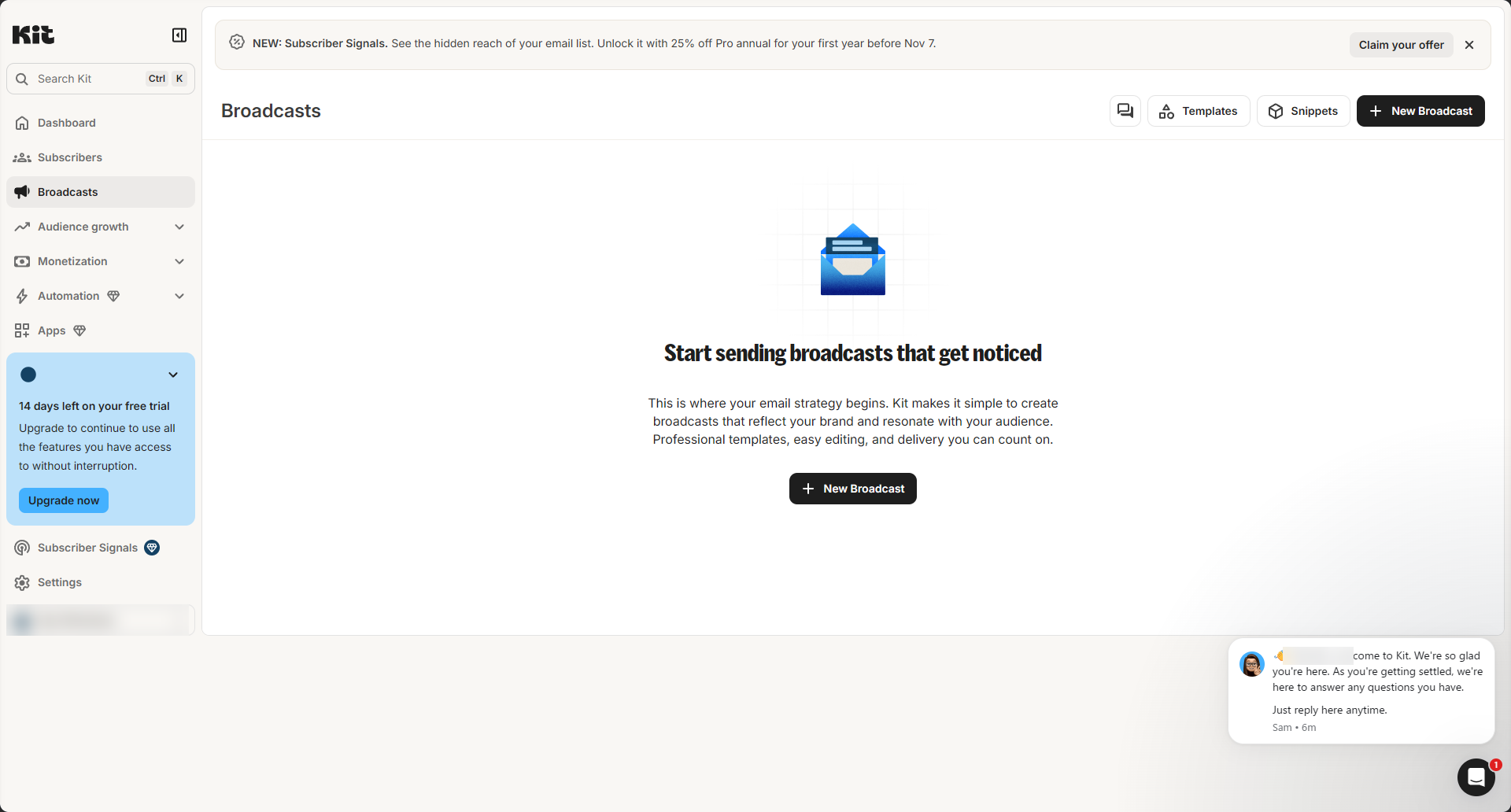
When we signed up for a free account in October 2026, the Broadcasts page had Templates, Snippets, and New Broadcast buttons, and the landing page picker offered two tabs of designed templates: Email capture and Product sales.
What about a lead magnet on Free?
This is the most common question we found. One creator asked in Kit's community forum whether they could add an automated welcome sequence on the free plan. Under the current plan rules, a sequence is not available on Free.
A single freebie is a different case. Kit's help center says the confirmation email on a form or landing page can deliver a file download or send people to a URL (The Confirmation Email). The article doesn't say which plans include this, and we didn't test it on a free account. If a lead magnet is your main reason for choosing Free, set up a test form and check before you announce it.
What the free plan can't do
These live on Creator and Pro only (The Kit Free plan):
- Email sequences. A series of emails each new subscriber gets on a schedule, such as a five-day welcome series or an email course.
- Visual automations and the template library. Flows like "when someone fills out this form, tag them and start this sequence."
- Rules. Simple if-this-then-that actions, like tagging a subscriber who clicks a link.
- RSS campaigns. Emails built automatically from your blog feed.
- AI Connectors and paid apps in the Kit App Store.
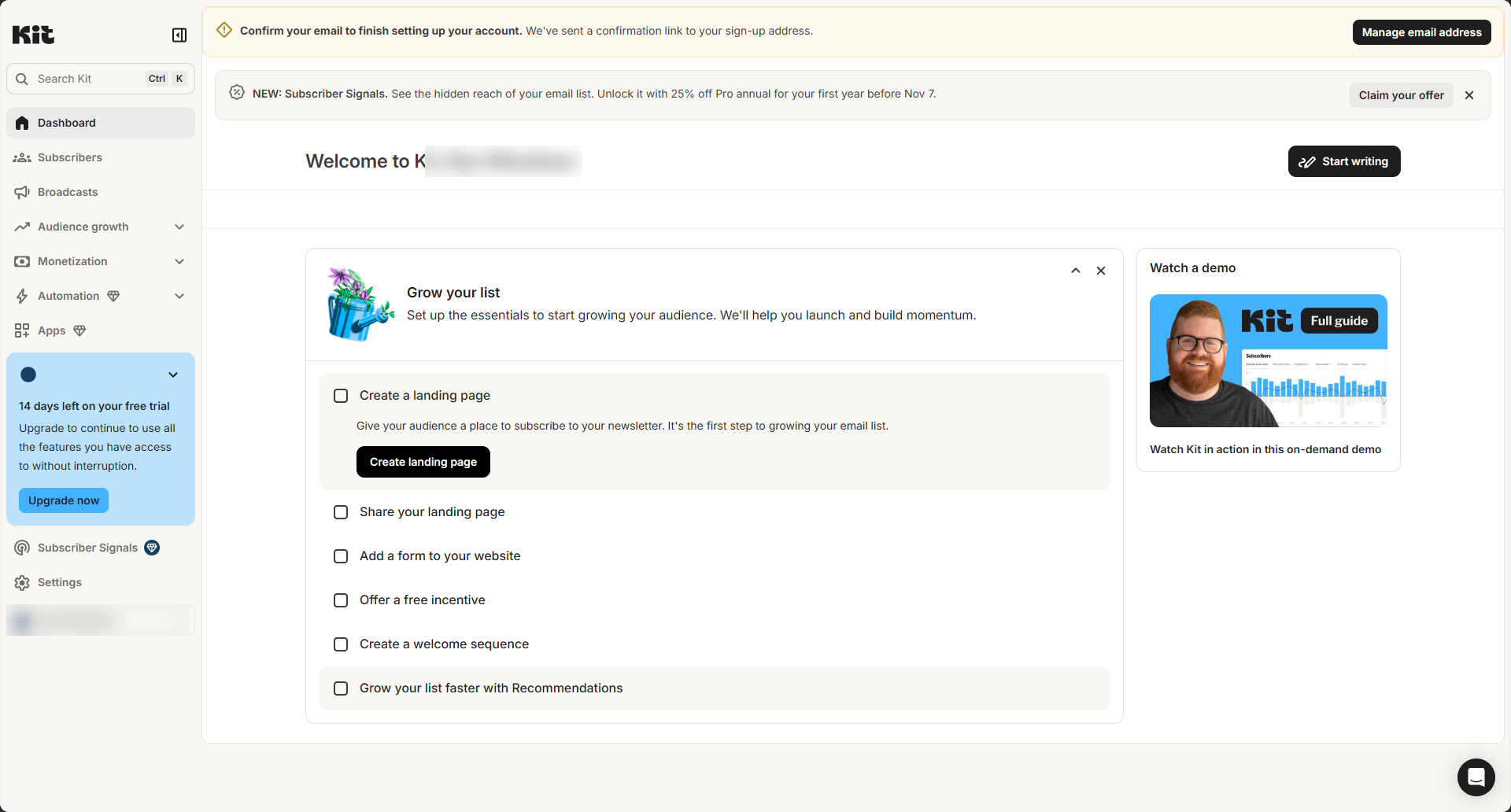
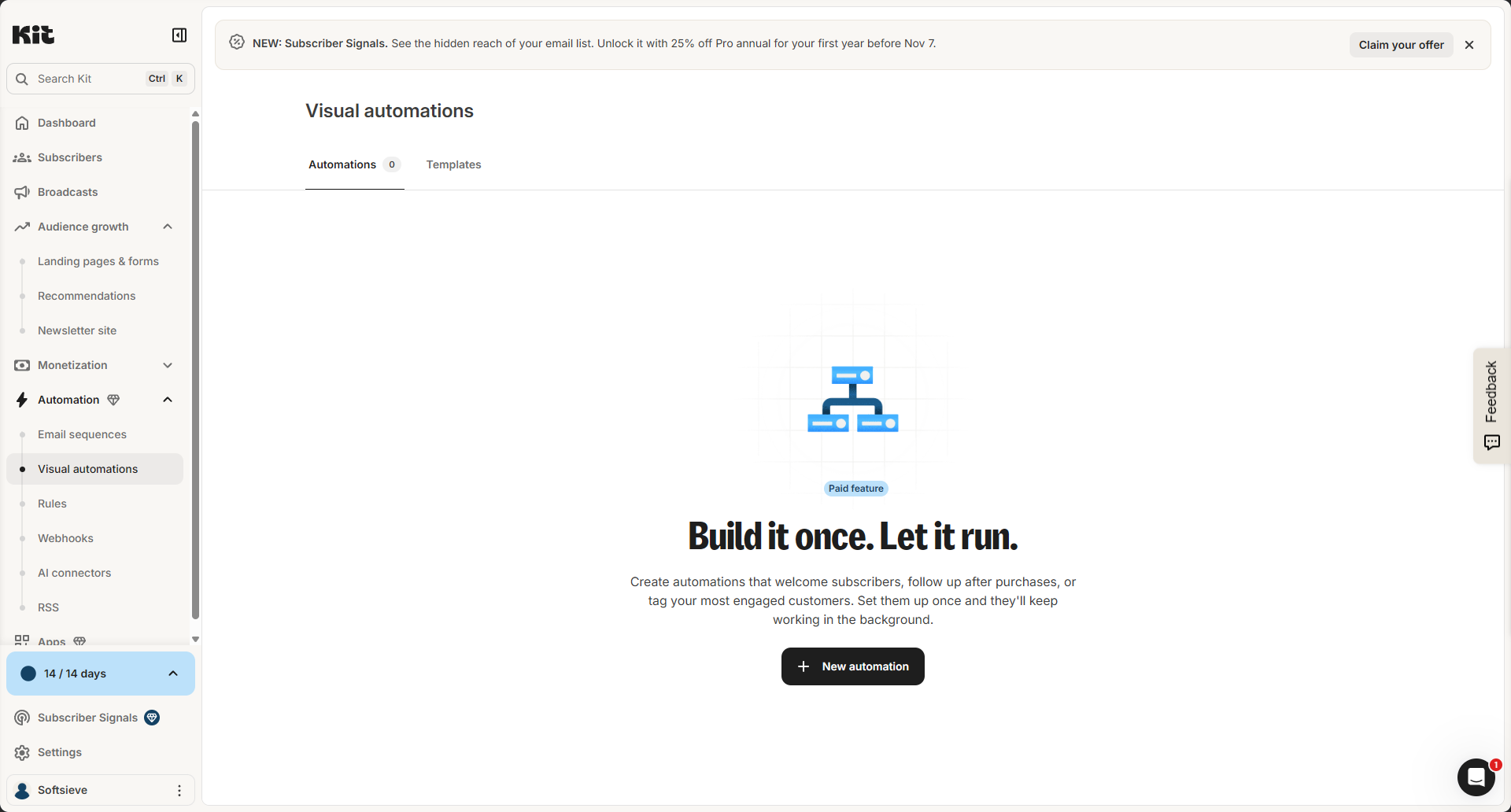
In the dashboard, Kit marks paid areas with a diamond icon. On our account, Automation, Apps, and Subscriber Signals had it.
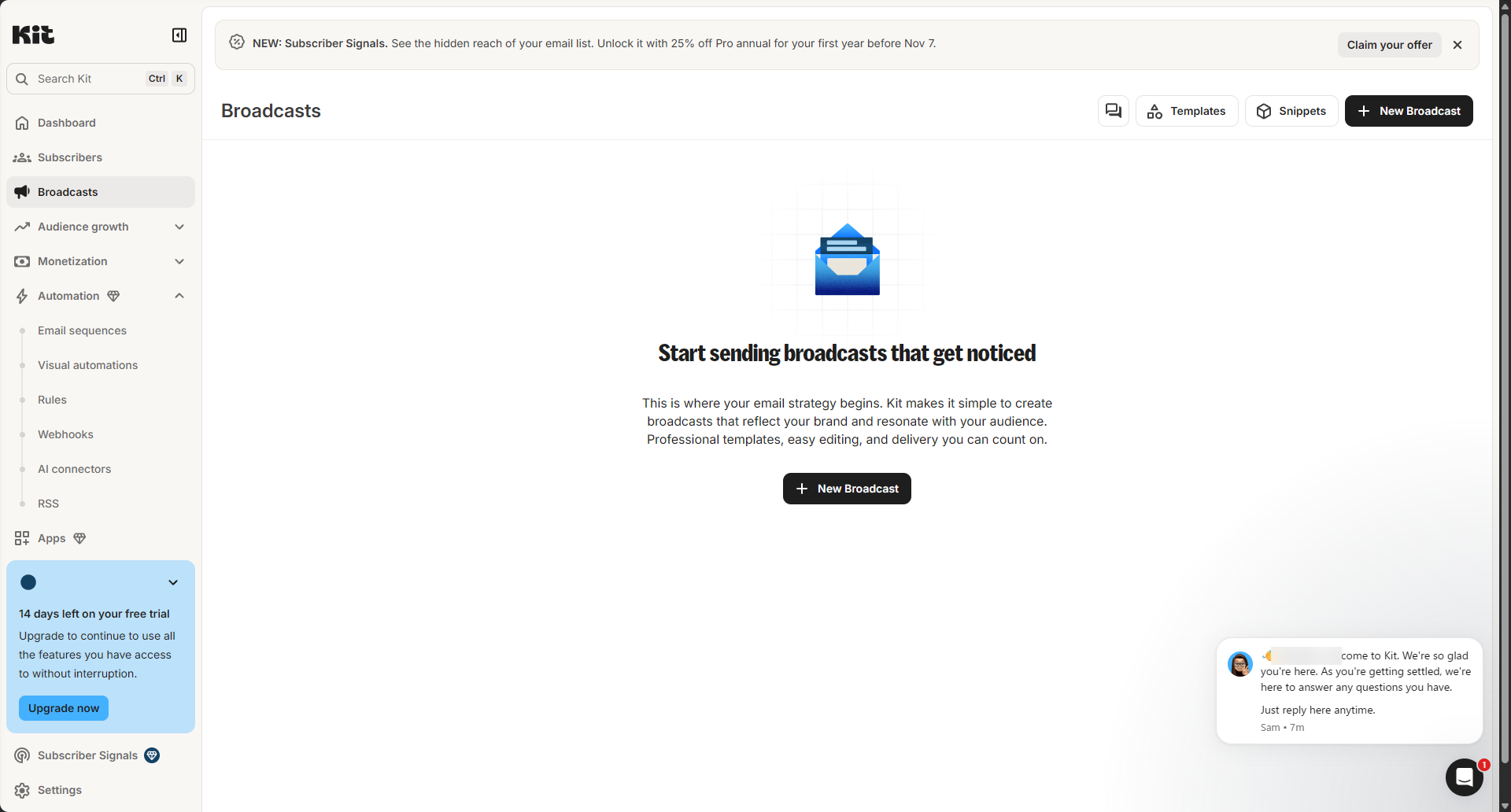
The Automation menu is where everything Free lacks sits: Email sequences, Visual automations, Rules, Webhooks, AI connectors, and RSS.
One catch if you downgrade. Kit's help center says that when you move from a paid plan to Free, your visual automations and sequences stop running, and you get them back when you upgrade again. Your subscribers stay. That answers another common forum question, from a creator asking whether they could switch from Creator to the free plan without losing subscribers. If a welcome sequence is the first thing new subscribers get, those new subscribers will get nothing automatic after a downgrade.
The free trial starts on its own (what we saw)
We created a Kit account on October 29, 2026. Here's what happened with billing.
Kit offers a Creator trial right after setup. When the setup questions end, a large window offers a 14-day free trial of Creator and asks for a card. It lists Monthly at $39/month and Annual at $390/year ("2 months free"). To skip it, click "I'll do this later" at the bottom. It's easy to miss.
The trial started anyway, without a card. After we skipped the offer, the sidebar still said "14 days left on your free trial." Under Settings → Billing, the account showed as Creator Monthly ($39/month for up to 1,000 subscribers). The screen said the free trial would end in 14 days and the subscription would be canceled then. Based on that screen, if you never add a card, you aren't charged. There's also a "Cancel trial" button that, according to the screen, moves you straight to Free.
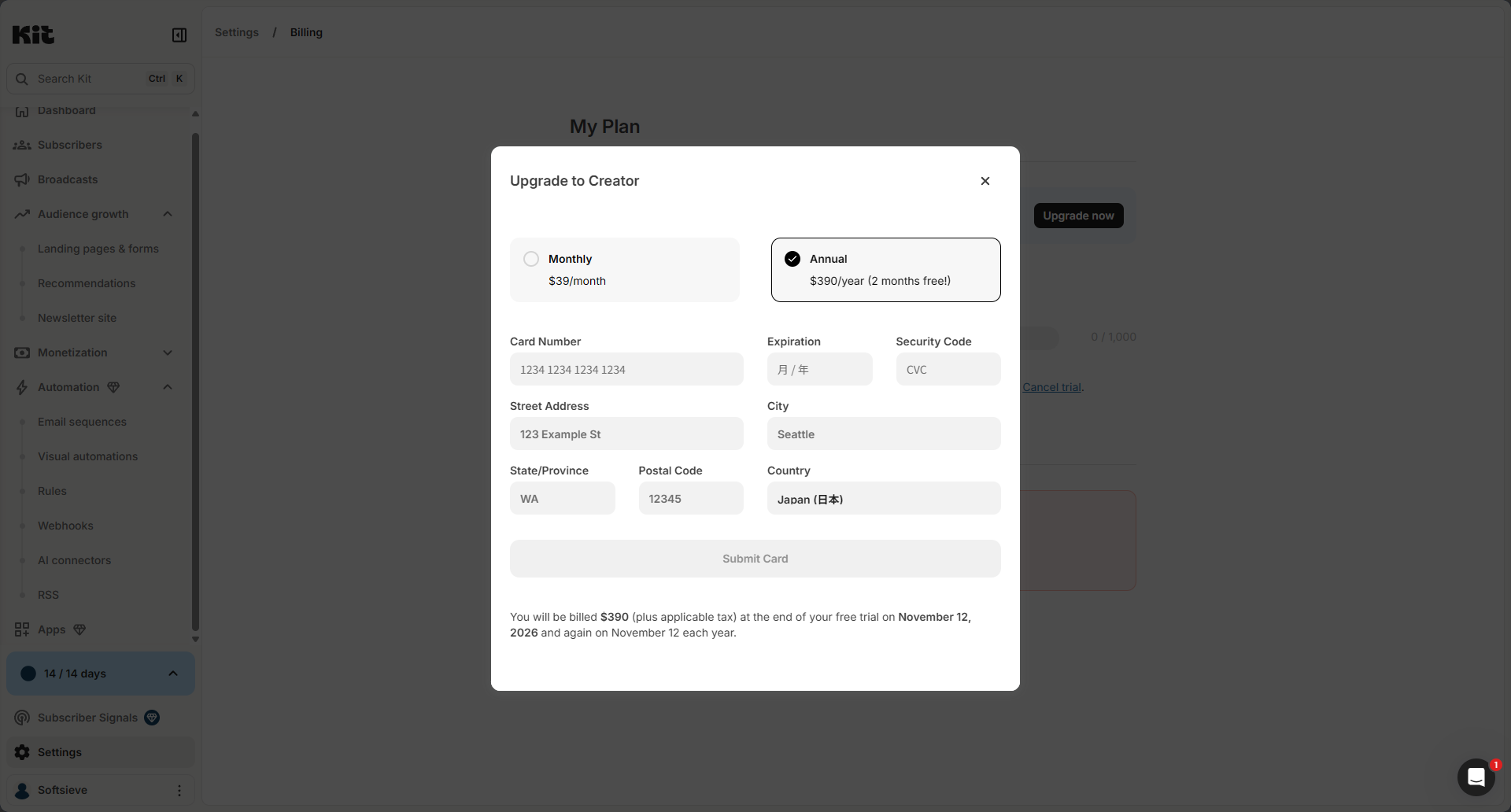
Upgrading during the trial bills at the end of the trial. The "Upgrade now" screen showed both options. When we picked Annual, it said $390 (plus tax) would be charged on the day the trial ends, and again each year on that date.
Paid features work during the trial. The Visual automations page carried a "Paid feature" label, but the "New automation" button still worked. We created an automation from the "Authors! Set up your evergreen newsletter" template. Kit copied it into our account and also created a matching email sequence with one email in it. The automation is only a draft, and nothing runs until you click "Publish changes."
We haven't reached the end of the trial yet. Going by Kit's help center, anything you build during the trial should stay in your account but stop running once you're on Free.
What this means for you: use the 14 days to build the sequence you think you need and look at it in the editor. Think twice before publishing it to real subscribers unless you plan to pay. Based on Kit's help center, it would stop running once your account moves to Free.
When Creator is worth paying for
Creator is worth it when one of these is true:
- You want a welcome sequence or email course. This is the most common reason. On Free, every email after signup has to be a broadcast you send by hand, so a subscriber who joins on Tuesday doesn't get "email 2" unless you send it.
- You sell something and want follow-up to happen automatically. For example, tag buyers and start an onboarding sequence, or send a launch sequence to people who joined from a specific form.
- You publish a blog and want RSS-to-email.
- You want the "Built with Kit" badge gone from your forms, landing pages, and emails (badge help).
- You need a second person in the account. Creator allows two team members. We couldn't find an official team-member limit for Free. Only one person can edit a broadcast at a time on Creator (team collaboration help).
- You're moving from another email tool. Kit's migrations page says paid plans include free migration done by Kit's team.
A quick way to sanity-check the cost: Creator is $39 a month at up to 1,000 subscribers. If an automated welcome sequence leads to even one extra sale of a $40 product each month, it covers itself. That's an illustration, not a prediction, so use your own product price.
Monthly or yearly? Yearly is $390, versus $468 for 12 months at $39. That saves $78, but it's one charge up front. If you're not sure you'll keep sequences running, start monthly.
Watch the tier jumps. Kit bills on confirmed subscribers and moves you up a tier automatically (Billing at Kit). Kit's upgrade FAQ gives the example of a $39 account that reaches 1,001 subscribers and moves to the $59 tier, with a prorated charge. Moving back down isn't automatic. You switch in billing settings when you qualify.
Kit Free: pros, cons, and who it's for
Why people pick it
- $0 for up to 10,000 subscribers, with unlimited broadcasts.
- You can sell digital products and paid newsletters without a monthly plan fee, paying only the per-transaction fee.
- Tags, segments, and A/B tests on broadcasts are included.
Downsides
- No sequences, automations, rules, or RSS at all.
- The "Built with Kit" badge stays on your forms, pages, and emails.
- No free migration help if you're coming from another tool.
- Right after signup, the Creator trial offer asks for a card, and the button to skip it is easy to miss.
Not for you if: you need any email to go out automatically after someone subscribes, or you plan to run launches with follow-up sequences.
Kit Creator: pros, cons, and who it's for
Why people pick it
- Adds email sequences, visual automations (with a template library), rules, and RSS.
- Removes the "Built with Kit" badge and allows two team members.
- Includes free migration from another platform.
- You can try it for 14 days, and in our account the trial started without a card.
Downsides
- $39/month at 1,000 subscribers, and the price rises as your list grows. The next tier in Kit's example is $59/month.
- Many of the automation templates we saw assume you use another service, such as Typeform, Thinkific, Shopify, or Calendly.
- If you later drop back to Free, your sequences and automations stop running (they stay in your account).
- Referral programs, Facebook Custom Audiences sync, and unlimited team members are on Pro, which starts at $79/month at 1,000 subscribers, billed monthly (Creator vs Pro).
Who should not choose Kit Creator: creators who only send a weekly newsletter by hand and don't sell anything yet. Free does that job at $0.
If Kit Creator doesn't fit: two alternatives
ActiveCampaign
ActiveCampaign makes sense if you already know you need branching, multi-step funnels or a built-in CRM. We haven't used it ourselves. This is based on its official pages. For a full side-by-side, see our Kit vs ActiveCampaign comparison.
Pros
- Automation is on every plan. Starter is $15/month billed annually at 1,000 contacts (pricing).
- CRM features are built in.
Cons
- No free plan. The 14-day trial is capped at 100 email sends (trial details).
- Starter allows only 5 actions per automation (automation actions).
- No built-in storefront for digital products.
Not for you if: you mainly send a newsletter and want to stay at $0 while your list grows.
Start an ActiveCampaign free trial
Brevo
Brevo is worth a look if you want a free plan from a different kind of email tool. We haven't used it. According to Brevo's pricing page, the free plan lets you send up to 300 emails a day with no credit card required.
Pros
- Free plan with no time limit, according to Brevo's site.
- No credit card needed to start.
Cons
- The 300-a-day cap means a 1,000-person newsletter can't go out in one day on Free.
- Brevo's own pages disagree on the free plan's contact limit and on how much automation it includes, so check the live pricing page before you rely on either.
- It isn't built around creator selling the way Kit is.
Not for you if: you want to sell digital products from your email tool, or your list is already too large to email within the daily cap.
How to decide
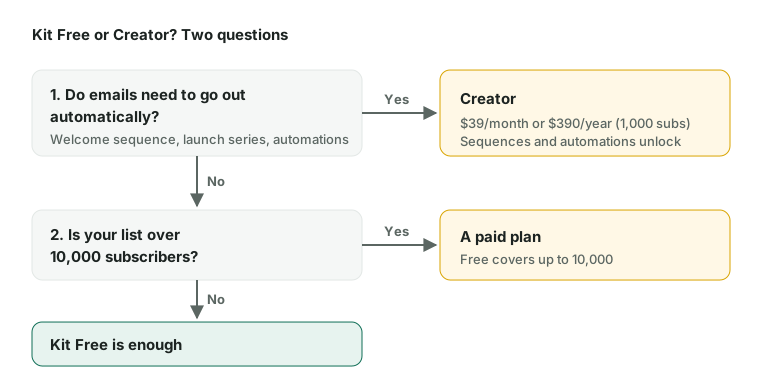
- Do you send a newsletter by hand and sell nothing yet? Stay on Kit Free.
- Do you want every new subscriber to get a welcome series or course? Upgrade to Creator. Build it during the trial first.
- Are you selling and want buyers to get automatic follow-up? Creator.
- Do you need a referral program, Facebook audience sync, or a bigger team? Look at Kit Pro.
- Do you need branching funnels or a CRM? Read our Kit vs ActiveCampaign comparison.
Most creators can start on Free, wait until a specific sequence would earn its keep, and upgrade then.
Sources
Checked October 30, 2026. Prices and plans change, so confirm on the vendor's page before you buy.
- help.kit.com help.kit.com/en/articles/16627071-the-kit-free-plan
- kit.com kit.com/pricing
- help.kit.com help.kit.com/en/articles/4494683-creator-vs-pro-choose-the-right-plan
- help.kit.com help.kit.com/en/articles/2502679-billing-at-kit
- help.kit.com help.kit.com/en/articles/2537095-account-upgrade-downgrade-faqs
- help.kit.com help.kit.com/en/articles/4375211-the-built-with-kit-badge
- help.kit.com help.kit.com/en/articles/12302470-collaborating-on-broadcasts-with-your-team-mem
- help.kit.com help.kit.com/en/articles/7986795-how-to-manage-your-free-and-paid-recommendation
- help.kit.com help.kit.com/en/articles/2502655-the-incentive-email
- help.kit.com help.kit.com/en/articles/4199324-how-to-use-kit-to-sell-digital-products-overvie
- kit.com kit.com/migrations
- activecampaign.com activecampaign.com/pricing
- help.activecampaign.com help.activecampaign.com/hc/en-us/articles/218251828-Automation-actions-explained
- help.activecampaign.com help.activecampaign.com/hc/en-us/articles/218789987-Free-trial-capabilities
- brevo.com brevo.com/pricing/
- brevo.com brevo.com/free-email-autoresponder/